15 May, 2014

LinuxTag 2014 Fun


Thursday, Friday and Saturday last week, LinuxTag took place in Berlin. A few months ago, in a moment of temporary insanity, I had proposed to three projects to organize their booths: KDE, openSUSE and ownCloud. As that wasn't challenge enough, I wanted to experiment with doing workshops at the booth, specifically aimed at attracting and training potential new contributors.

How it came to be

Music outside!
I proceeded to register a booth, promising the LinuxTag exhibition manager (Elke Moritz), the KDE e.V. board, the openSUSE Board and my brand new boss at ownCloud that we would set up a great show. As I wouldn't be able to separate ownCloud (PHP) or KDE (C++, QML) code from text in a openSUSE .spec file nor can staff three booths at once, you can imagine I promised more than I could ever deliver on my own. But that's where friends come in, right?

And they came through - the result was great.
Re:Publica area

The new LinuxTag

First, a short introduction. LinuxTag is one of the oldest European Linux events, operating under the credo: "bringing .org and .com together". That is, they feature both commercial and community booths and a big selection of talks.

LinuxTag has been taking place at the Messe in Berlin in the last years, and this has not been a hugely successful location. But this year, there was change: a co-location with the immensely popular Re:Publica event as well as collaboration with DroidCon was meant to bring a lot of new energy. The new location, Station Berlin, gives a more fitting Linux feeling: much more raw. If you ask me, it worked out, LinuxTag was a much better event than it has ever been in the Messe.

What did we do

openSUSE, ownCloud and KDE
As I noted, our plan was two-fold. We, that is KDE, openSUSE and ownCloud, would have a combined booth. We would use the combined space not for a traditional table+swag, instead set up an area for workshops. In short, 1 hour slots, visitors would learn the basics of working within each of the three communities. For example:

  • writing ownCloud apps
  • developing KDE applications
  • packaging for openSUSE.

We wouldn't plan for a big audience: the workshops would go deep and be personal.

Daniel giving a workshop
So, we got together speakers and defined a program (see my blog). I received the ownCloud and openSUSE booth materials home and the day before LinuxTag, drove it all to the venue, picking up KDE stuff from Lydia Pintscher at the wikimedia office later in the evening. Due to some snafu's with the booth area preparations we had to set up the booth in the morning - which happened even before Danimo and myself arrived with some more materials (thanks booth team!).

The booths

Our booth area (all the way to the left!)
We planned for little space (essentially one combined booth) but the LT team had given us so much space, we had to set up three big booths! openSUSE got the big table, ownCloud took two round ones and a third round table was covered in the KDE tablecloth, with a huge KDE flag hung up next to it. Behind it all 12 chairs and a table with a projector. All this was quite a bit more than we planned, so the initial idea (we'd only need 1-2 people at a time to do 'booth duty' for the 3-in-1 booth) didn't work out very well: all three booths had to be staffed most of the time. We did have some overlap at quiet times, but full house during especially the breaks.

I had printed posters with the schedule, one for each day as we had slight schedule changes every day. We hung them up all over the place, after which we put down openSUSE, ownCloud and KDE flyers wherever there was space. The openSUSE Beer coasters did particularly well - we had put them on the tables in the eating/drinking area and we had to 'refill' several times a day.

Us vs them?
The posters and most of the flyers I had created for ownCloud pointed people to the booth (I stole the concept of the 'consume vs create' poster from the openSUSE Conference in Dubrovnik, btw!). We should have asked people how they found out about the workshops, from posters, blog, workshop or being told at our booth. I have no idea how effective each of those is...

Let me now point to this blog by Danimo about the owncloud presence, the KDE blog by Sebastian is out too. And I expect the openSUSE team to publish their blog(s) very soon.

Booth fun

Give some balloons to Frank, and...
For me, there was some fun synergy: meeting KDE-on-openSUSE users interested in installing ownCloud. Or, after starting a conversation with somebody about one of these projects, continuing the conversation about one of the others. Several times, I got users interested in all three at once: Server Linux (openSUSE/ownCloud) and Desktop Linux (openSUSE/KDE).

I also noticed that many visitors already knew ownCloud, or had at least heard of it. At some point, I was talking to a visitor, explaining ownCloud, while a second visitor joined the conversation. He already knew about ownCloud and took over, while I talked to a third visitor, answering some questions. Then a fourth showed up, who begun answering their questions while I turned to a fifth, explaining ownCloud... Great to get in conversations like that!

During a quiet moment, a visitor came to me, complaining he had been 'in line' to talk to me several times, but it was so busy, he didn't get a chance before! Indeed, we had busy times, especially Thursday. But that's awesome, right?

I also gave two talks - one at the evening program of LinuxTag about where the Linux Desktop is going (it didn't go very well, I'm afraid) and one about Community Governance at the first European Community Leadership Summit, that did go quite well. Shame I couldn't stay too long for the CLS as we had friends over and I had to go home...

All in all, for me, it was a great event.

Re:Publica Hippies

The team

Let me also not forget to introduce the team at LinuxTag to you:
  • Daniel Molkentin (ownCloud)
  • Arthur Schiwon (ownCloud)
  • Georg Ehrke (ownCloud)
  • Frank Karlitschek (ownCloud)
  • Sebastian Gottfried (KDE)
  • Christian Boltz (openSUSE & PostfixAdmin)
  • Bernhard Wiedemann (openSUSE)
  • Marcel Külhorn (openSUSE)
We had several people come by and help out a bit, as well as three others giving booth workshops:
  • Maik Aussendorf (Bareos)
  • Gratien D'haese (REAR)
  • Jörg Schilling (fraunhofer, cdrecord)

Sebastian's KDE workshop

The workshops

During the booth work, we had the workshops going on. It had a bit of a slow start on Thursday morning, but quickly, the workshops started to attract some more people. At one point did I see Sebastian surrounded by six visitors interested in KDE development... I think, on average, the workshops attracted about 3-6 visitors each. Which is quite good, considering they were primarily aimed at introducing people to contributing to our projects.

Despite the amount of work preparing the booth workshops, I'd do it again. Imagine if only a third of the visitors decides to join the respective communities!

openSUSE booth team in action

Feedback

If you visited one of these booth workshops or our booth at LinuxTag, I'd love your feedback! Knowing how we did, if we were friendly, fun, interesting, or what was missing and what you'd like to see next time - it all helps us improve in the future!

In any case, everybody who contributed to the booths and presentations as well as everybody who visited us: thank you very much!

Of course very special hugs to the booth- and presentation team.

14 May, 2014

ownCloud development in April

Github in action
Frank and myself thought it would be nice to have a weekly development update around the ownCloud community. It makes it easier for people to follow what is going on, we can't all follow all mailing lists and git logs and forums and so on. To start this up I went through information sources like the development mailing list, blogs, news and more and compiled an article about the whole month of April. If you all like it, I can start doing this weekly.

Now I can't follow everything either, of course, so it would be helpful if you, dear readers, could send what YOU know is going on to me! That would ensure I don't miss any cool things. Mail me or ping me over G+, twitter or somewhere else! Any suggestion is welcome.

UI mockups of new features

Development

So, let's start with what happened in ownCloud development in April, separated by core, cloud and clients. Note that what is below is not guaranteed to end up in a release! We might re-design things, defer to a later release to give it more testing or change the feature otherwise...

ownCloud core


Good old fashioned paper mockup

ownCloud apps


  • work is going on to improve the view on what happened on your ownCloud in the activity app
  • Infinite scrolling & neater layout for pictures app are coming.
  • A much improved music app is coming, and a variety of features is under development, like new playlist functionality.


ownCloud clients


  • The iOS saw work on multiple-downloads support. Not finished yet but a future version should include this. There was also work on the 'favorite files' feature.
  • The Android client got the InstantUpload video branch finally merged. This means that once released, the client can upload video instantly, either always or only when on wifi. Thanks to zerginator for doing the hard work!
  • The first beta for the 1.6 release of the desktop client came out and a bunch of bugs got fixed based on the feedback that came in. If you have not tried the new release, help us test it so we can make it even better. Read more about this upcoming release in this blog by Danimo.

Devel mailing list discussions

The entire month saw lots of bugfixes fly by on the devel mailing list. The news app, for example, now deals better with a host of websites, but also got reworked to be finally independent from the app framework. Meanwhile, there's a firefox plugin being developed for the News app, courtesy of our Outreach Program for Women participation.
Visual bugreports with screenshots.

Listing apps

Jan-Christoph announced that he had put together a page listing the central ownCloud apps as well as mobile and desktop clients. There is also a section 'external apps to integrate with'. With this overview he hopes to encourage collaboration over fragmentation. See the page here.

Vincent Petry brought a python client library to the ownCloud list, spawning a discussion about the need for perhaps a JavaScript library as well.

In other news

The bugfix release ownCloud 6.0.3 brought new bugfixes and improved LDAP performance.

The wider FOSS world saw Canonical retire Ubuntu One, to which we replied offering Ubuntu users to come and try out ownCloud. As Frank wrote when Box announced they'd open source some of the tools they use in-house for system administration and engineering:
"Depending on a vendor is always risky: the vendor can go bankrupt, be bought or raise prices. In the world of web services it also often happens that vendors decide to discontinue functionality they deem not crucial enough. It could just be something you depend on!"
ownCloud can be run on your own servers, not requiring you to move your data to an untrusted, third-party server farm." See his blog post.

Conclusion

I hope you liked the ownCloud development update of April! Obviously, the weekly ones should be shorter than this one. Let me know in the comments what you think about doing this every week. If you all think it is a good idea, I'll move this to the ownCloud blog. 

07 May, 2014

Get-involved workshops at the KDE/ownCloud/openSUSE booth at LinuxTag

Tomorrow, 9:45, LinuxTag and DroidCon open the doors in Berlin. The even presents a staggering number of sessions (see LinuxTag on Thursday alone featuring 57 talks). This is in part due to the addition of evening sessions, which are open for the public (no ticket needed). My own talk about the relevance of the Linux Desktop is one of these evening sessions. This is in parallel with LinuxNacht so we'll have to see how many people will choose talks over beer...

Workshops

At the combined openSUSE/ownCloud/KDE booth I've organized short workshops, given by contributors to these projects, designed to help you get involved with these (and other!) Free Software projects. There is only room for about 10-12 people per workshop so you will get some real attention from the developer doing the workshop. It also means you should make sure to be there on time to secure a spot!

We try to give the workshops tree times so if one is full, you can come back the next day (due to availability of people this didn't work for all workshops).

The program

Thursday
10:00Testing Linux with openQA
(Bernhard Wiedemann)
11:00Introduction to hacking ownCloud file synchronization
(Daniel Molkentin)
12:00AppArmor Crash Course
(Christian Boltz)
13:00
14:00Build your first ownCloud App
(Arthur Schiwon)
15:00Writing your first KDE application
(Sebastian Gottfried)
16:00Packaging with the Open Build Service
(Marcel Kühlhorn)
17:00Internal security mechanisms used by the German eID card
(Joerg Schilling)

Friday
10:00 Testing Linux with openQA
(Bernhard Wiedemann)
11:00 Introduction to hacking ownCloud file synchronization
(Daniel Molkentin)
12:00 Hacking PostfixAdmin
(Christian Boltz)
13:00 Bareos Backup - Rear Disaster Recovery workshop
(Maik Außendorf and Gratien D'haese)
14:00 Build your first ownCloud App
(Georg Erhke)
15:00 Writing your first KDE application
(Sebastian Gottfried)
16:00 Packaging with the Open Build Service
(Marcel Kühlhorn)
17:00 Internal security mechanisms used by the German eID card
(Joerg Schilling)

Saturday
10:00 Testing Linux with openQA
(Bernhard Wiedemann)
11:00 Introduction to hacking ownCloud file synchronization
(Daniel Molkentin)
12:00 AppArmor Crash Course
(Christian Boltz)
13:00 Bareos Backup - Rear Disaster Recovery workshop
(Maik Außendorf)
14:00 Build your first ownCloud App
(Georg Erhke)
15:00 Writing your first KDE application
(Sebastian Gottfried)
16:00 Packaging with the Open Build Service
(Marcel Kühlhorn)
17:00 Internal security mechanisms used by the German eID card
(Joerg Schilling)

Participants to the workshops get a Club Mate to keep them awake and quench their thirst.

Our booth space is in Hall 6, Number D11 - next to the LinuxTag info stand. See you there tomorrow!

02 May, 2014

Teacups and storms!

warning: wall-of-text blog. Don't read!

I see quite a bit of misconceptions and unhappy-ness around the new search infrastructure in KDE. While a series of small patches has probably fixed most of that by now, if you want to know what happened, read on. This is based on a mail I send to the openSUSE-KDE list a few days ago. And based on what I figured and understood from the developers - I'm not exactly a coder myself, so I'm sure some minor errors have seeped in. I'd be happy to fix them!

Why?

For starters, I would strongly suggest you read this dot article to get a bit more of the background behind it. Some people wondered if the new search got enough testing. We did quite a big testing push for this release, see this call to action and the liveCD I kept updated. There was social media stuff, too, of course.

If you've read the article on the dot, you will understand why the new search (baloo is the technical term, which I'll avoid using) came to be: it is orders of magnitude faster and more reliable and otherwise simply re-uses most of the previous infrastructure so it should not really introduce new issues. For almost all users, it should give a big improvement over the previous version.

New issues?

This turned out to be true and wrong at the same time. The new search was so much more efficient at indexing, it could totally clog up the disk on certain systems. Depending on the kernel version, settings and hardware, it was possible that reading and writing would overwhelm Linux' I/O system and slow down the entire computer to a crawl until indexing was done.

Usually, this would not take long, as the new search indexes so fast. A few minutes is enough for many gigabytes of data. But certain files can not be handled properly by the indexer - among them, text files over 20 megabyte. They take a long time. When it detects this, Search will put these files on a 'bad list' and not index them again.

Note that the old search had these same issues, but they were less noticeable among the general performance problem it had... It would eat lots of CPU frequently anyway, mostly because its database (virtuoso) was simply not very suitable for desktop usage!

As the new indexer indexes in batches of 40 (for performance reason), it needs some time to detect the problematic file. In 4.13.0, it has a time-out of 5 minutes on such a batch, then do the two halves again to see which half contains the bad file, then cut those remaining 10 in half again and so on until it knows what file exactly is faulty. You can imagine this can take a while, and the 5 minute timeout has now been shortened to about 2 so this should go faster. Also, the indexer has been improved to deal better with these files. Of course, very few people have such large text files lying around, but those who do did get bitten painfully, and are probably happy that this has been mostly (but not completely...) resolved.

Lastly, indexing will stop immediately on laptops when the power plug is taken out, to not shorten your battery life.

I hope the users who did get in trouble (often relatively early adopters) understand why we released Search: for all testers and developers, it worked and provided huge benefits. Why make users suffer by not releasing if you have something so much better?

About testing

For users of repositories like openSUSE's KDE:Current or distributions which were quick to ship this release, it can happen you bumped into these and other issues. Certainly the developer, Vishesh, and everybody who helped testing (including myself) wanted to try out everything to make sure it was stable. I installed this on my work laptop, despite the risk, so I could test in a realistic scenario. And I've send various screenshots of issues, including performance problems to Vishesh, who promptly fixed them. Few people are as responsive, responsible and hard working as he is.

Which makes it all the more frustrating that a lot of people are loudly yelling at him and others for their work. I can get that some people have no time to test. I accept that. But then THEY should accept that that might mean that their scenario, be it hardware, usage, or configuration, is NOT TESTED. Unfortunately, we can't delay releasing forever until every user has tested all our software - that would never happen. If it works for all testers, we release it. There is no sane alternative.

If you have problem with that - it is the Universe you have a beef with, not us. This is the reality with volunteer work you're not paying for.

Configuration

Some users were unhappy that most of the configuration of Search had disappeared. As most efforts went into making the new search as fast and unobtrusive as possible, the UI received little love. The most important thing, the ability to exclude some or all user data from indexing, is there. Indexing can be disabled by simply adding your home folder to the 'exclude' list - there is nothing to be indexed at that point, so Search won't index anything.

Few users needed more: the ability to configure specifically what files are indexed or not, for example. This is available in the configuration files, and a GUI has been made available by Lindsay, one of the people unhappy about the lack of configurability: here. She had something nice to say about the code ;-).

You can see the GUI in the gif on the right. I expect that the group of users in need of these advanced features but not capable of installing this KCM by hand is extremely small, and in a newer release perhaps a 'advanced' button or something similar can be added. If you want to read more about this, perhaps the discussion in this google Plus thread is interesting, especially the one from Thomas Pfeiffer at the end.

On or off by default?

Search has been enabled in Plasma Desktop for quite a while now, and the new Search had proven itself for all testers to be far superior to the previous release. There seemed to be no reason to not enable it. Moreover, Search is something you'd expect in 2014. Every competitor ships it by default, and most users, not even aware it exists, use it. Those more technical users who are aware of the existence of the various search technologies are often smart enough to be able to turn it off if they want to.

Seriously, Vishesh is convinced a Raspberry Pi running Search would be able to index an terrabyte hard drive over USB in less than 15 minutes. Honestly, he said 5 minutes to me, but I just can't believe that so I tell people 15.... It'd be fun if somebody could try this out and tell us how long it really takes.

Why can't I choose?

Some users on the openSUSE KDE list complained in various forms and shapes about a 'lack of choice'. Now there is no 2nd search infrastructure for Qt/KDE applications ATM, so until somebody writes one, it seems rather pointless to ask developers to put in extra work and create extra complexity for the ability to swap out Search with something else.

What about KNotes

Quite a few users had trouble with KNotes: it didn't properly import their notes and misses some functionality compared to the old version. Why did this get shipped?

This is, like many things, a matter of resources. The old version could no longer be maintained. At that point, we can drop it. Or rewrite it such that it can be easily maintained. A developer was willing to do the latter, so that is what happened. The rewrite looses some functionality, and it clearly has a bug: not always importing all notes properly. This WAS tested and it worked for the developers and at least the people who tested, so I guess some users were just unlucky. Or did not help test...

Again, the same: if you would have helped test, the importing could have been more robust. In this case, too, I know the developer who did this work personally, and he is extremely responsive to bug reports. If you had no time, that is fair, but then accept that we don't get paid to test or can't pay people to test, so this is all we could do. We would love to get 100 extra, paid developers and another 100 full-time testers. And pink unicorns.

Of course, if you think we made the wrong choice and should simply have dropped KNotes, you can simply remove it yourself and tell yourself that KDE did not have enough volunteers to maintain the old version and KNotes is no more. That, too, sucks and you can blame any random person (just pick a colleague next to you in the office for example) for not stepping up and maintaining KNotes. An alternative is to be happy that somebody at least did the work they did to keep it around and hope that they will find time to add the functionality missing now. And not be discouraged by all the negativity and drop the app completely...

Again, I'm sorry for the issues. So are many KDE developers. But we can't change the world as it is and yelling at us doesn't help. On the contrary, it does the opposite: there is little reason to put in your free time when people just yell at you for doing something for them for free.

Documentation

With the new Search being, well, new, not much documentation has been updated yet. I've put in a few hours to update the online documentation here. If you are missing anything, please add it!


If you have questions, ask in the comment section. But if you comment, at least be reasonable and realistic. We can't bend reality so don't expect us to. And be fair and put in some effort to understand what we do and why before you complain. I think that that is not too much to ask.

As Bruce Lee said: A wise man can learn more from a foolish question than a fool can learn from a wise answer.

I hope the above helps answer some questions!

30 April, 2014

oSC14 awesomeness

The openSUSE Conference this year was great fun. The event didn't attract as many people as in the last years, probably due to both date/location as well as some recent mixups. But there were still great talks (see the videos on youtube) and next year, oSC15 in Den Hague should benefit both from being easier to reach and the clean up of the controversy in the community. I'm trying to finish a openSUSE news story about the event, but for now, the articles already published, the videos of the talks as well as my impression below should keep you busy!


Meanwhile, I'm preparing for LinuxTag. Remember, I asked for help? More onwClouders and Gearheads still very much welcome. Looks like the Geekos came through already :D

29 April, 2014

Meta Blogging

Today, I blog about blogging. My goal is to convince you, hard working contributor to KDE, ownCloud or openSUSE, that you should regularly blog about the awesome you do.

Blogging is great

Contributors blogging about what they do is awesome, really. This way, we:
  • Share knowledge so others don't have to re-invent the wheel
  • Share ideas so others know what we're up to and can help improve plans
  • Get help so readers might feel compelled to help out!
  • Give help so using ownCloud/KDE/openSUSE/etc becomes easier for people
  • Increase our visibility so users/developers know who to beat up talk to
  • Create some noise for the outside forums, news sites, magazines etc - press in general

And that's all absolutely awesome. I even bet there are at least 3 more reasons why blogging is good for your community and I hereby offer cookies for whoever shares three other reasons in the comments section.

But let's be honest. Who cares about how it benefits whatever? It's the age of me me and more me!
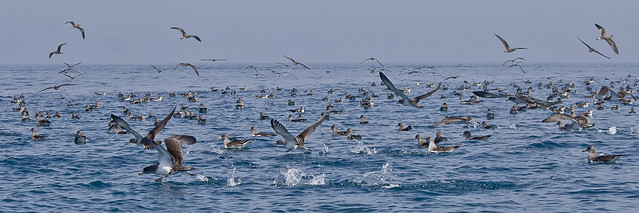
Balsa de pardelas

But what really matters...

So I want to make clear that YOU benefit. Taking time off to write down what you're working on, putting ideas in order—this is incredibly useful. You will not only become a better writer but also a better thinker. Better at expressing your ideas but also better at putting them in order, examining them, refining them.

Blogging makes you stop and think about what you are doing. You take a little time to dive a bit deeper in what drives you, why you work on what you work on and how you can do better.

This should make clear that the idea of "I have nothing to say" makes no sense. If you are doing things, you must be thinking about them. Blogging is just thinking out loud. Which helps YOU think and, as I pointed out above, helps others see what you think about and give you input.
London phone box.

HOW to do it then?

I'm not going to say writing is simple. If you look up the first posts on my blog, well, let's just say it didn't come by itself for me either. You might be looking at a blank page for a while. But it gets easy when you have something to say! If you're enthusiastic about something or pondering a complicated problem, that is the moment to start. Open your favorite text editor and just blurt down your thoughts, why you're happy/angry/enthusiastic/etc.

Then structure it a bit, try to explain the things. You might have learned this in the past already: explaining something complicated to somebody else is awesome, because you learn from doing that yourself. Maybe even more than the person you're explaining to!
Then make it more presentable. Add a few headers above big paragraphs to break it up, maybe add a picture. Flickr is a great source of pics and it makes your blog a bit lighter, but it is not mandatory at all. Then just publish. Because, really, you can polish forever but it will never be perfect. And you learn while writing. So write, publish, and write some more!

On the idea of "you must do regular writing": a myth. Yes, writing about what you did last week is helpful. It gives a base to start with, keeps your life organized. But it is not The Only Way To Success when it comes to blogging. You need a bit of inspiration. I've gone months without blogs, and had weeks with several. That might not be awesome from a 'social media' perspective but really, who gives a rats' ass about that? I know I don't.

Write when you are thinking about something, when you're inspired. That's enough.

Conclusion

Blogging is helpful. Most people don't feel compelled to share their expertise, knowledge and ideas. That is OK, of course - but if you are willing to blog, please do it! It isn't as hard as it sometimes feels and it is more helpful for yourself than you might think.

And if your project has a blog roll like planet KDE, planet openSUSE and ownCloud News, get your blog on there! More readers = more comments = more motivation and more value for you. Really!

For the ownCloud folk: contact me if you want your blog on our blog roll. I'd be happy to add it!

23 April, 2014

oSC14 and LinuxTag coming!

It's becoming conference season again... Tomorrow morning I'll fly to Dubrovnik for the openSUSE Conference. I give no less than 5 talks and one workshop. Don't worry, I'm not DDOSing the event, the talks are restricted to 30 minutes (even though I have about 1 hour of content for each, let's see how that goes). My sessions:

That's quite a bunch, I know, but it'll be fun! I look forward to Dubrovnik, although I see it will be rainy and not that warm. Ah, sad...

LinuxTag 2014 - all change

A much bigger deal, for me, is LinuxTag. This year, it is considerably different from the previous few years: no more in the Messe! Instead, the team is collaborating with DroidCon and Re:Publica. That, combined with the location (Station in Berlin), could potentially be awesome! Here I give one talk about the future of KDE. I'll also be speaking at the Community Leadership Summit Europe about Open Governance.

But more importantly, I'll be organizing the LT booth for three projects: ownCloud, KDE and openSUSE. Yeah, ambitious again! Not only that, we're not going for the traditional booth. Instead, I've proposed to do something different: have a track of technical mini-workshops at the booth. 45 minute talks, small, hands-on, about the technology of these projects. So, think about building packages with the Open Build Service, writing an ownCloud App or developing a QML based Plasma widget.

Needing some help

The idea seems generally liked but I haven't found anybody for any of the three above potential talks - so if you can and want to do that or something like it, please let me know! We won't have too much traditional booth space, just enough for a bit of stuff and one or two ppl answering questions. The talks will repeat every day so as volunteer, you give your talk 3 times, once every day. Otherwise you are free to enjoy the talks as well as the Re:Publica booth area. As the tickets are not cheap (Eur 149!) this is a nice way to get into LinuxTag for free (I have only 2 tickets per booth, though). You'll get hugs and Club Mate as much as you want. And there's travel support available for all these projects!

Help me out, please! And if you can't - at least, be sure to visit the booth at LinuxTag or come say hi at the openSUSE Conference!